Service Desk IT AI Agent — Admin Help Guide
The default ITSM agent is shown in the current UI as Service Desk IT AI Agent. It combines Service Desk ticket handling, AI conversations, external automation integrations, playbooks, approval workflows, communication channels, organizational knowledge, and testing in one agent.
How the main components fit together


| Key concept: Connecting an integration and enabling a tool are separate steps. For example, Office 365 is connected from Integrations → Automations; the relevant Office 365 tools can then be used from Playbooks. |
Accessing the Service Desk IT AI Agent
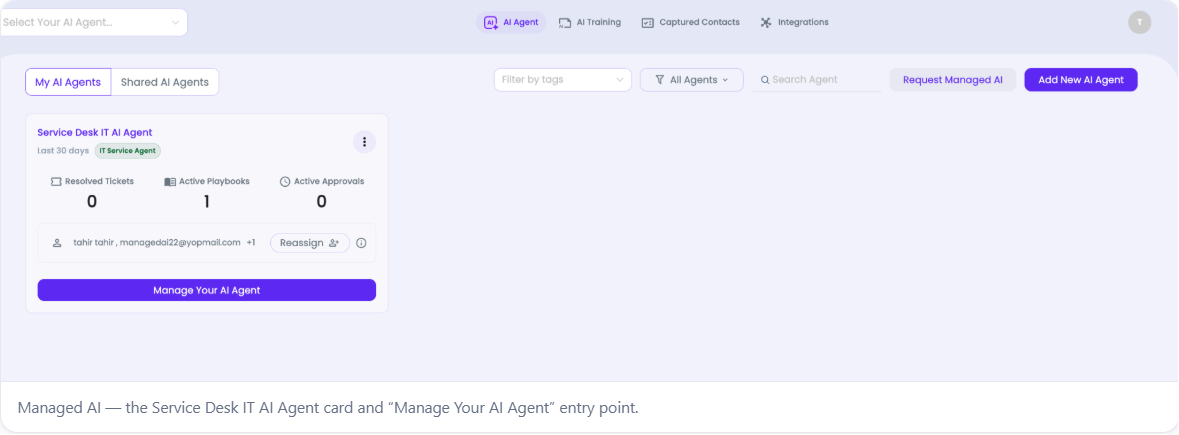
Open the default ITSM agent from Managed AI and enter its management workspace.
- Sign in to the ITarian portal.
- Open Managed AI.
- Under My AI Agents, locate Service Desk IT AI Agent.
- Click Manage Your AI Agent to open the agent workspace.
The agent card gives a quick summary of recent activity, including resolved tickets, active playbooks, and active approvals.