


Ticket Management
Monitor tickets automatically created by the AI Agent from customer conversations.
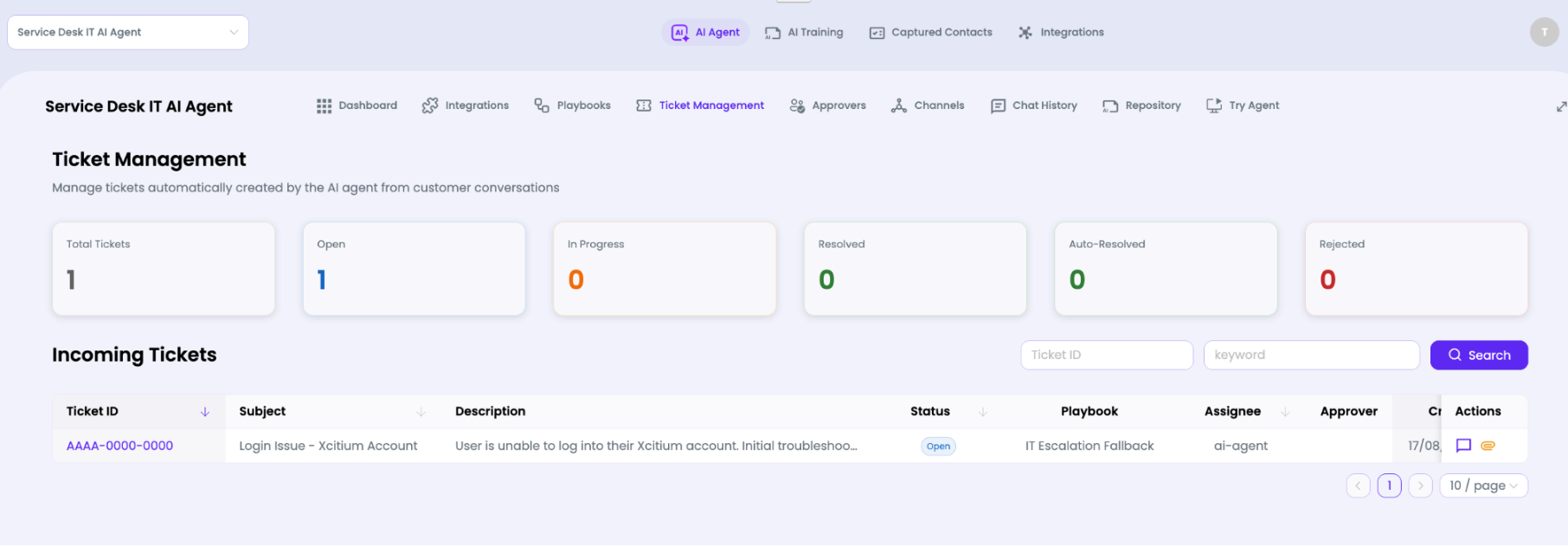
The page itself states that it manages tickets automatically created by the AI Agent from customer conversations.
It provides status counters for:
- Total Tickets
- Open
- In Progress
- Resolved
- Auto-Resolved
- Rejected
The Incoming Tickets table lets administrators search by ticket ID or keyword and review ticket details such as subject, description, status, playbook, approval information, creation information, and available actions.

Support Center AI Assistant → Service Desk V2
When an AI conversation becomes a support ticket, the ticket is passed into the connected Service Desk V2 environment.
Ticket flow
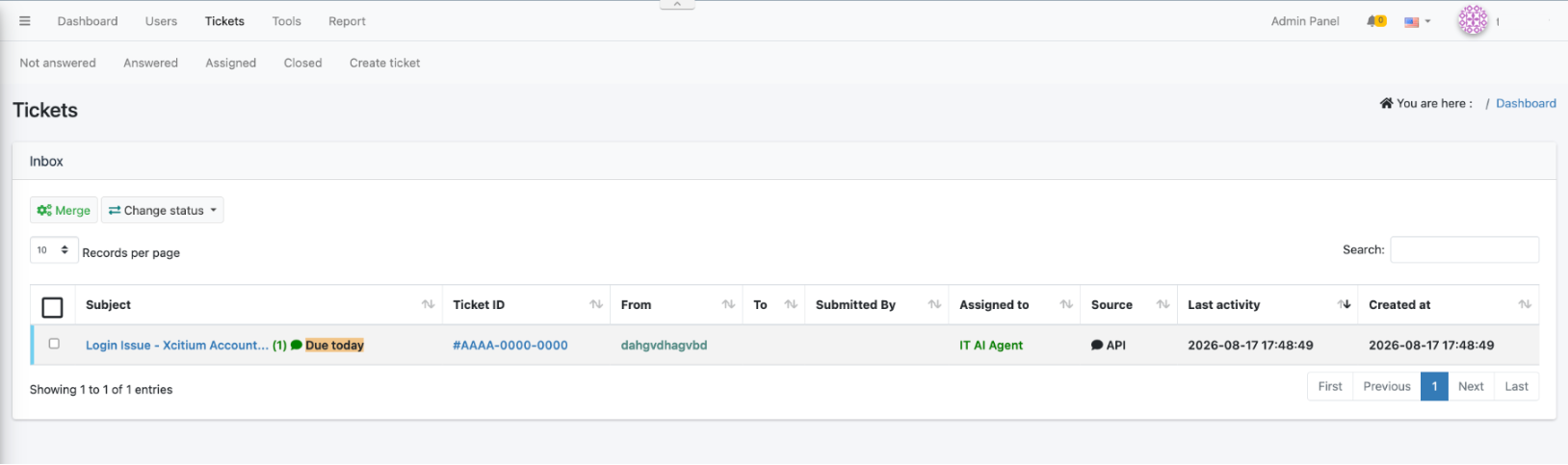
A ticket created from an AI conversation appears in the AI Agent's Ticket Management page and is also available in the Service Desk V2 Inbox. The example below uses ticket ID AAAA-0000-0000 with the subject Login Issue - ITarian Account.
The end-to-end flow can be understood as follows:


Opening Service Desk V2
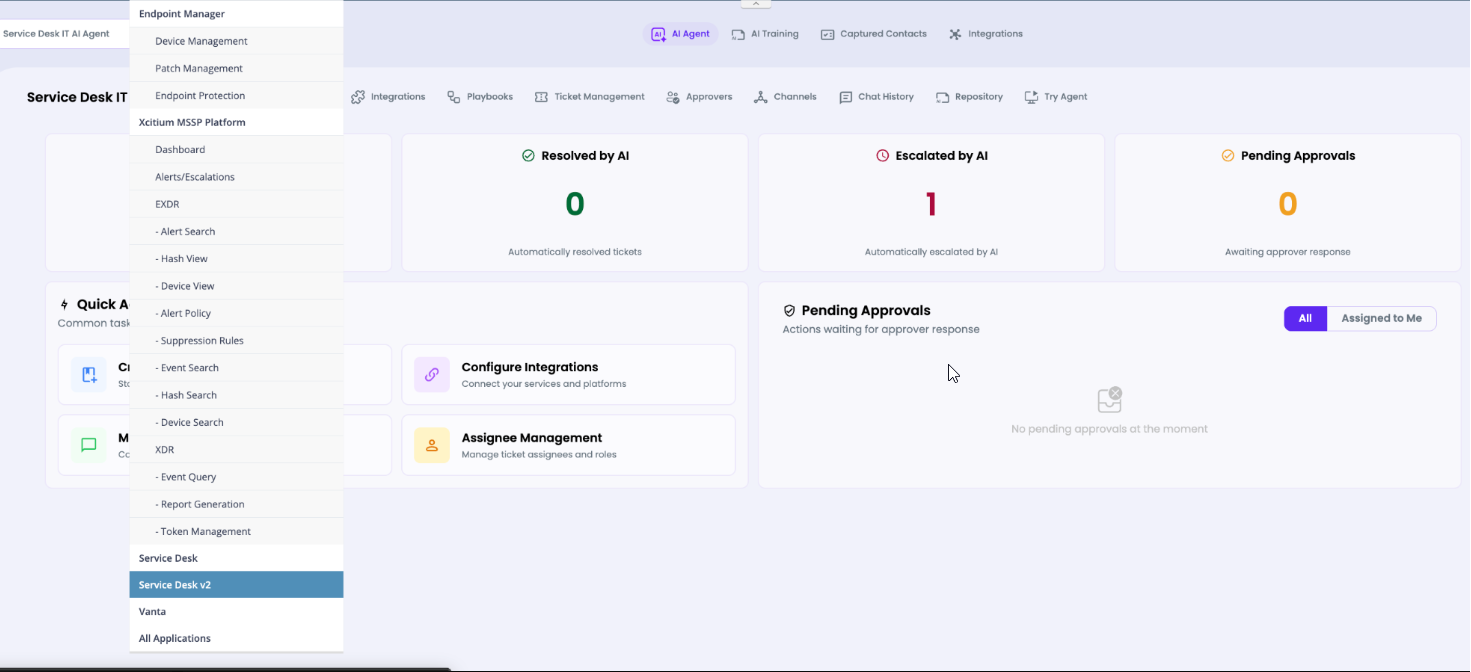
From the ITarian portal, open Applications and select Service Desk V2.

Ticket visible in the Service Desk queue
The corresponding ticket is visible in the Service Desk V2 Inbox. The record shows the same ticket ID and subject as the AI Agent Ticket Management page. The Service Desk V2 record shows the source as API, which is consistent with the ticket being passed from the AI integration into Service Desk V2.

Operational meaning: The AI layer does not replace Service Desk V2. It acts as the first support/automation layer, while tickets that require the Service Desk workflow remain visible and manageable in the existing Service Desk environment.
Chat History
Review conversations handled through the Service Desk IT AI Agent.
The agent workspace includes a Chat History tab. Use it to inspect how users are interacting with the agent, understand common requests, investigate failed or escalated conversations, and identify opportunities to improve training materials or playbooks.
When troubleshooting, compare the user's conversation with the playbook that was triggered, the integration/tool availability, and any ticket created from the conversation.