


Agent Management — Dashboard
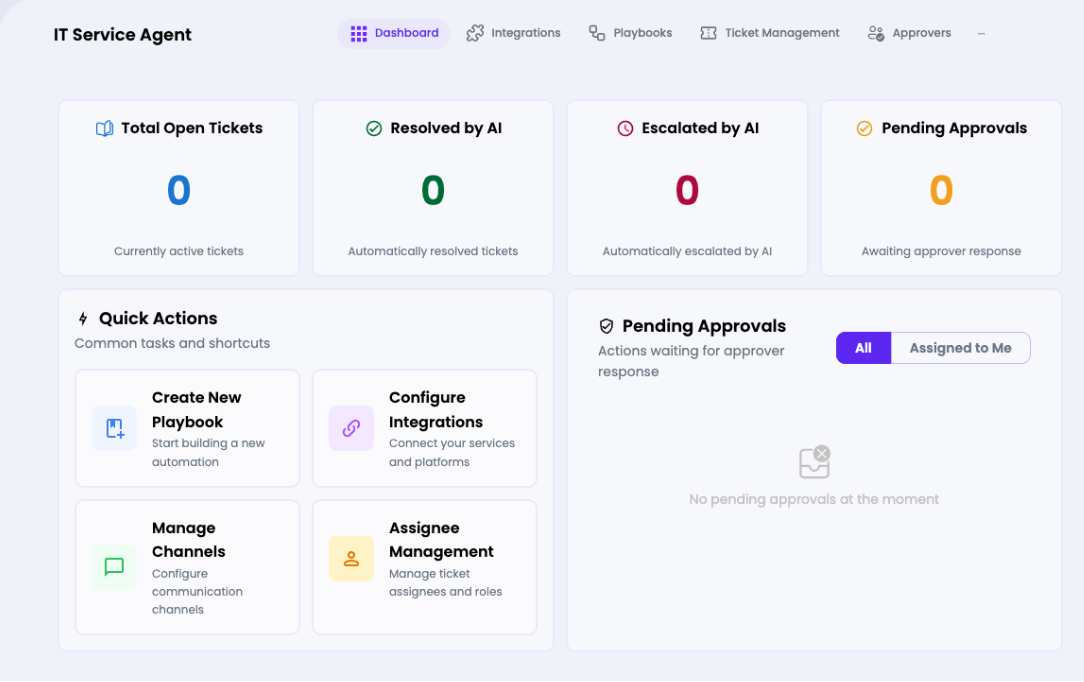
The command center for an individual AI Agent. Provides a real-time overview of ticket statistics, quick-action shortcuts, and a live pending approvals feed.


Dashboard Metric Cards
| Metric | Color | Description |
| Total Open Tickets | Blue | Tickets currently active and awaiting resolution |
| Resolved by AI | Green | Tickets automatically closed by the AI agent |
| Escalated by AI | Red | Tickets the AI escalated to a human agent |
| Pending Approvals | Orange | Playbook actions awaiting human approval |
Quick Actions
- Create New Playbook — shortcut to the Playbooks tab to build a new automation
- Configure Integrations— shortcut to connect external platforms (Odoo, Office 365, etc.)
- Manage Channels — shortcut to the Channels tab to configure Web, Email, Slack, etc.
- Assignee Management— manage the humans who can be assigned tickets
Sub-Navigation Tabs
| Tab | Purpose |
| Dashboard | This overview screen |
| Integrations | Connect ticket management & automation platforms |
| Playbooks | Create and manage automated response workflows |
| Ticket Management | View and manage all incoming tickets |
| Approvers | Manage human approvers for ticket actions |
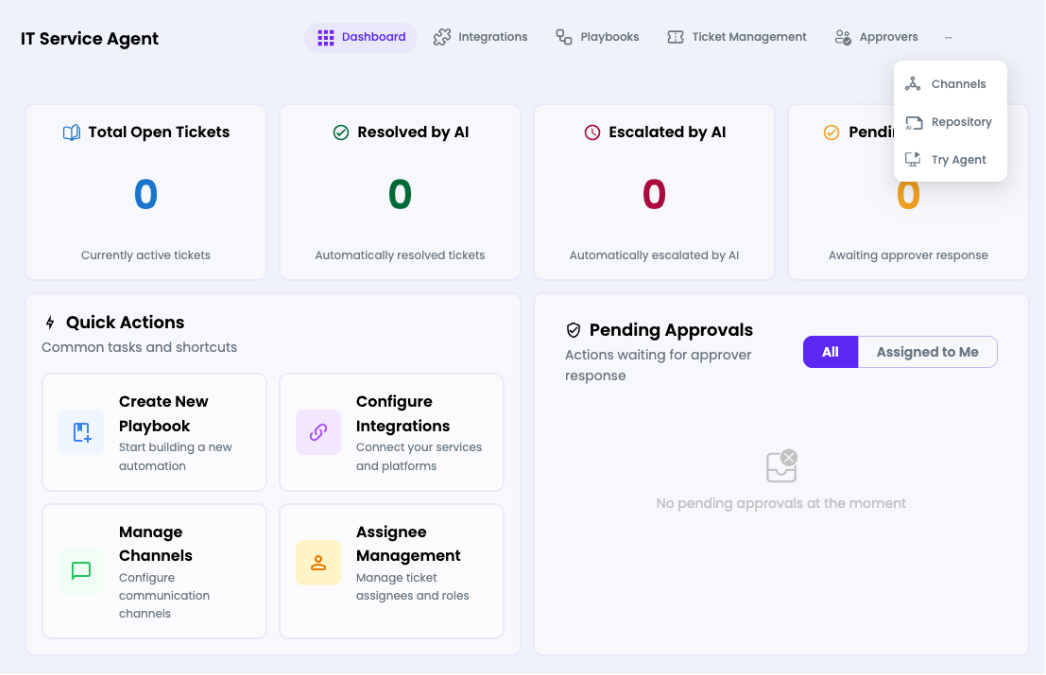
| Channels (via ···) | Connect communication channels |
| Repository (via ···) | Link knowledge base repositories |
| Try Agent (via ···) | Live chat preview of the agent |