


Agent Management — Approvers
Manage the list of human approvers who can authorize ticket actions triggered by playbooks that have "Require Approver" enabled.

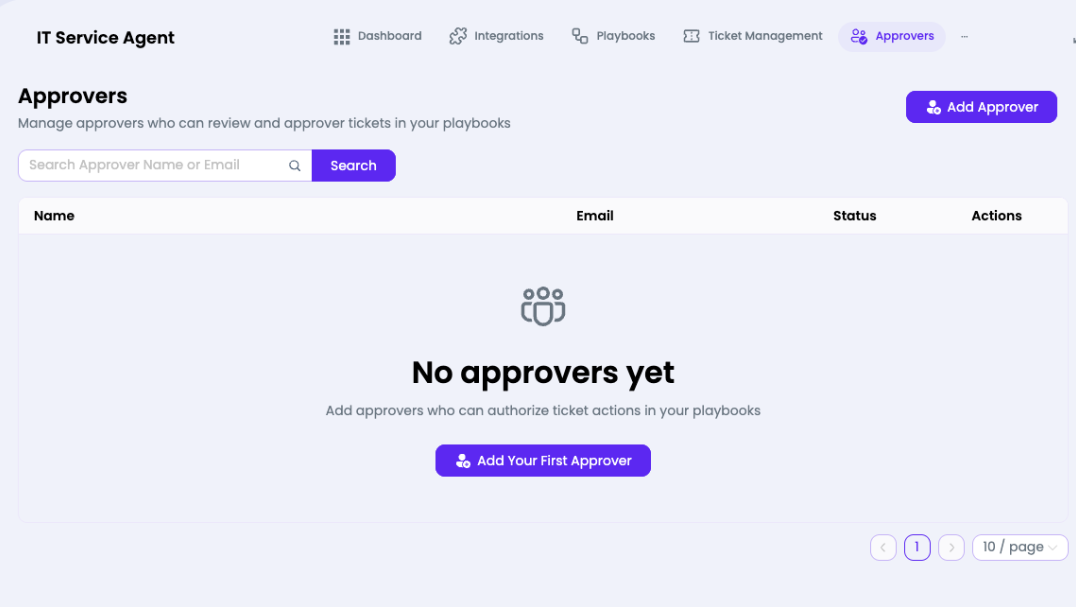
What you can do here
- Click Add Approver (top right) or Add Your First Approver to invite a new approver
- Search approvers by Name or Email using the search field
- View each approver's Name, Email, and Status
- Perform actions (edit/remove) via the Actions column
Approvers Table Columns
| Column | Description |
| Name | Full name of the approver |
| Email address where approval requests are sent | |
| Status | Active / Pending invite status |
| Actions | Edit or remove the approver |
Note: Approvers receive email notifications when a playbook action requires their sign-off. Make sure you add at least one approver before enabling
Require Approver on any playbook.
Require Approver on any playbook.