


Agent Management — Ticket Management
View and manage all support tickets automatically created by the AI agent from customer conversations. Provides status counts and a searchable ticket table.
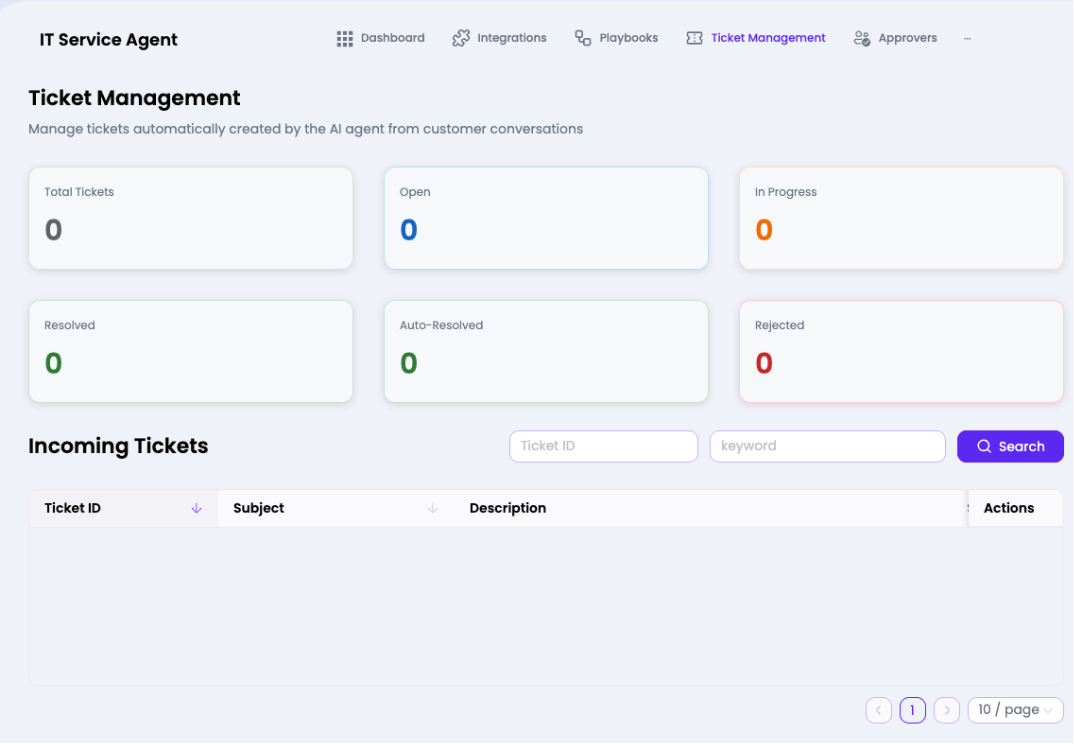

Status Summary Cards
| Status | Description |
| Total Tickets | All tickets ever created by this agent |
| Open | Tickets awaiting initial handling (blue) |
| In Progress | Tickets currently being worked on (orange) |
| Resolved | Successfully closed tickets (green) |
| Auto-Resolved | Tickets the AI closed without human involvement (green) |
| Rejected | Tickets dismissed or declined (red) |
Incoming Tickets Table Columns
| Column | Description |
| Ticket ID | Unique identifier for the ticket (sortable) |
| Subject | Brief description of the issue (sortable) |
| Description | Full detail of the customer's request |
| Actions | View, assign, or update ticket status |
How to Search Tickets
- Enter a Ticket ID in the first search field for exact lookup.
- Enter a keyword in the second field to search by subject/description.
- Click the Search button to filter the table.
- Use pagination controls at the bottom (default 10 per page) to navigate results