


Configure
- Click 'Configure' on the console navigation bar to open this interface.
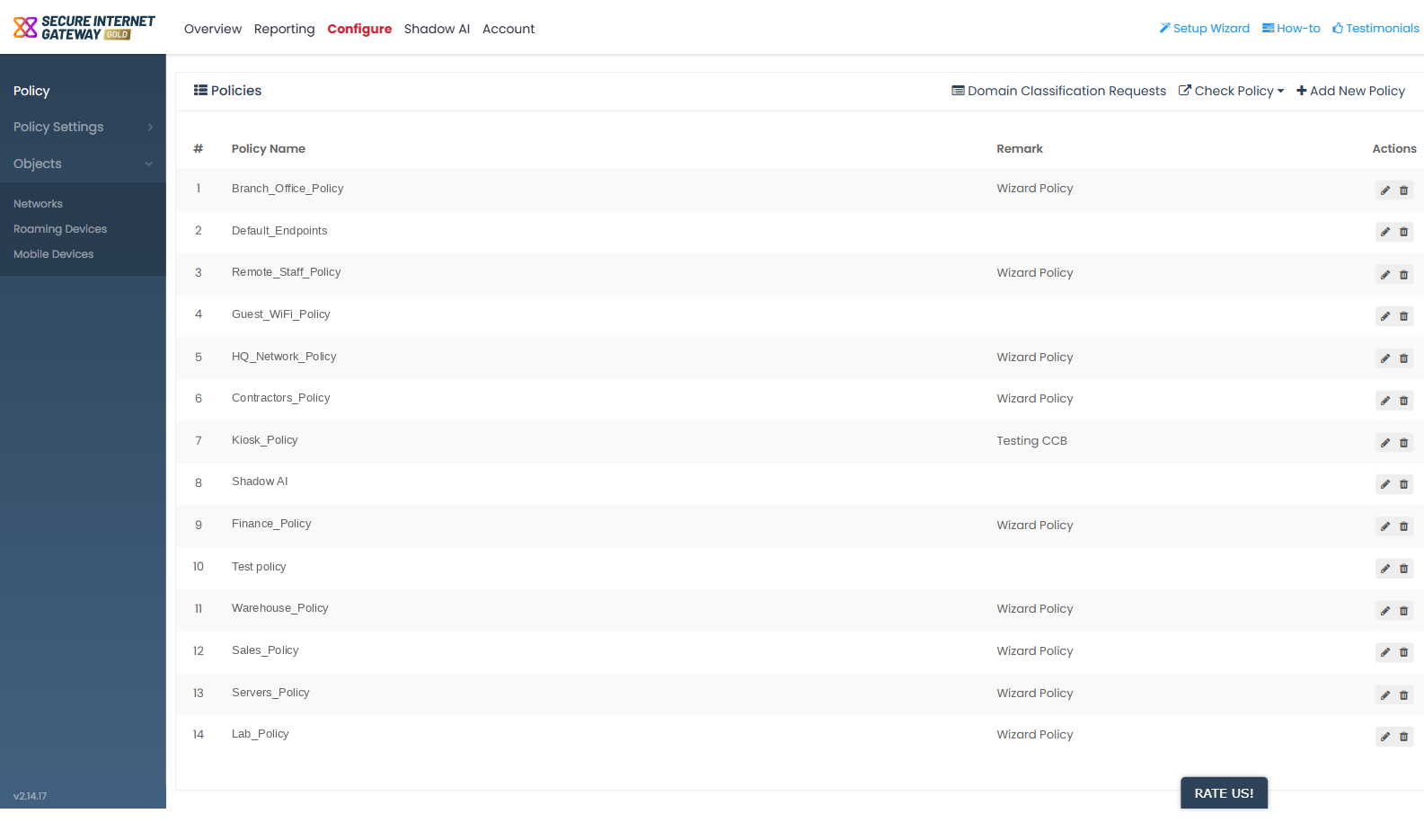
The 'Configure' tab is where you define what Secure Internet Gateway protects and what rules apply to it. The tab opens on the 'Policy' screen.
You can create policies, build the rules a policy applies, and register the networks, roaming devices and mobile devices that those policies cover.
The Configure sub-navigation
The dark sub-navigation on the left holds one standalone entry and two expandable groups, nine screens in total.
- 'Policy' - standalone, and the screen the tab opens on.
- 'Policy Settings' - a group holding 'Security Rules', 'Category Rules', 'B/W Lists' and 'Block Pages'.
- 'Objects' - a group holding 'Networks', 'Roaming Devices' and 'Mobile Devices'.
How the pieces fit together
- An object is something to protect - a network, a roaming device or a mobile device. Register objects under 'Objects'.
- A rule is a named set of things to block or allow. Build rules under 'Policy Settings'.
- A policy joins objects to rules. Assemble policies under 'Policy'.
Note: the sub-navigation label is 'Roaming Devices', not 'Roaming Endpoints'. The 'Mobile Devices' entry opens the mobile agents screen.
See 'Manage Policies' to start building a policy.