


Drill Into the 'Other' Slice on Top URL Categories
- Click 'Reporting' > 'Web Activity' > 'Top URL Categories' to open this report.
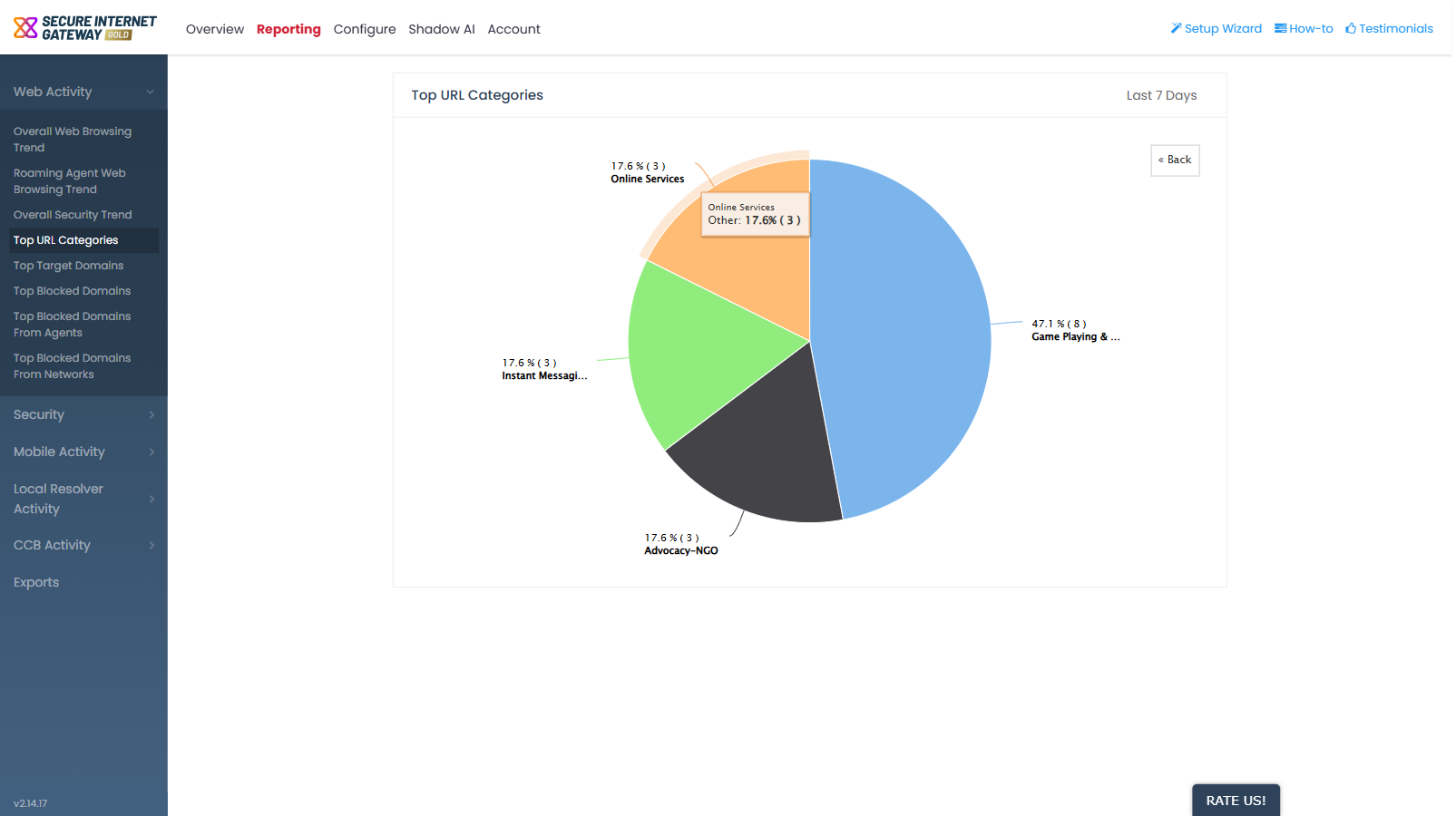
'Top URL Categories' groups the smaller categories together into a single 'Other' slice. That slice is a working drilldown, not just a label.
You can click 'Other' to see the breakdown of the categories inside it, and return to the top-level chart when you are finished.
Break down the 'Other' slice
- Click 'Reporting'.
- Click 'Web Activity' to expand the group, then click 'Top URL Categories'.
- Click the 'Other' slice in the pie chart. The chart redraws as the breakdown of the categories grouped under 'Other'.
- Click '« Back' at the top-right of the plot area to return to the top-level pie.
Read the chart
- Each slice is labelled with its percentage and its count.
- Hover over any slice to show a tooltip with the category name, its percentage and its count.
- The '« Back' button appears at the top-right of the plot area only while you are inside