


Block by Country Top-Level Domain
- Click 'Configure' > 'Policy Settings' > 'B/W Lists' > 'Create B/W List' > 'Next' > the country selector to open this interface.
The country selector lets a B/W list act on a whole country top-level domain rather than on individual domains. Selecting an entry applies the list to every domain under that top-level domain.
You can search for and select one or more country top-level domains from this picker.
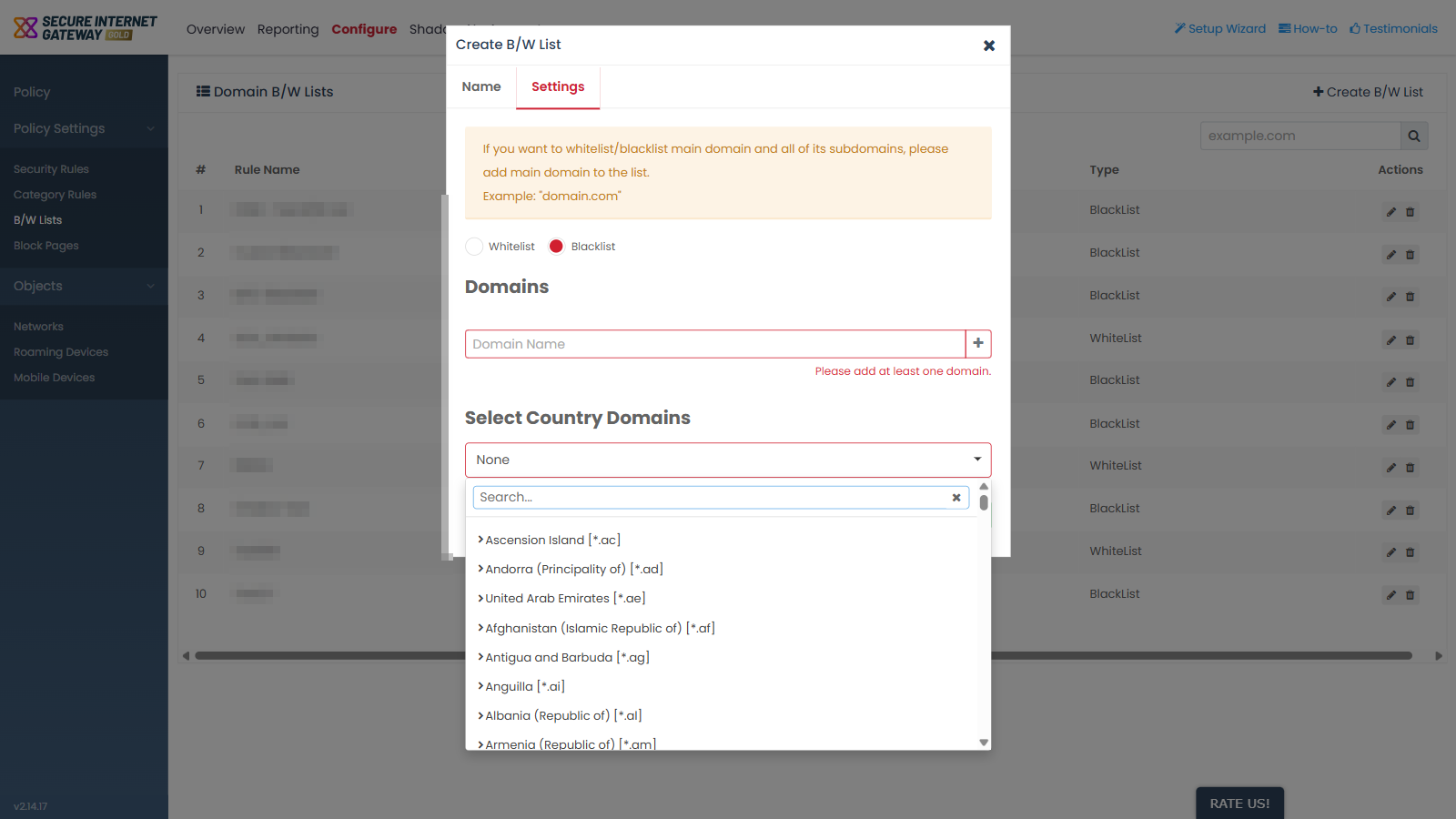
Select country top-level domains for a list
- Open the 'Settings' tab of the 'Create B/W List' dialog.
- Click the country selector, which reads 'None'.
- Type a country name or a top-level domain into the 'Search...' box to narrow the list.
- Select each country top-level domain the list should act on.
- Click 'Create' to save the list.
Note: the effect depends on the list type. On a blacklist, selecting a country top-level domain blocks every domain under it; on a whitelist, it allows them.