


View Account Information and Licences
- Click 'Account' on the top navigation bar to open this interface.
'ACCOUNT INFO' shows who the account belongs to, how many DNS requests it has made this month, and which licences it holds.
You can review your account details and licence position from this interface.
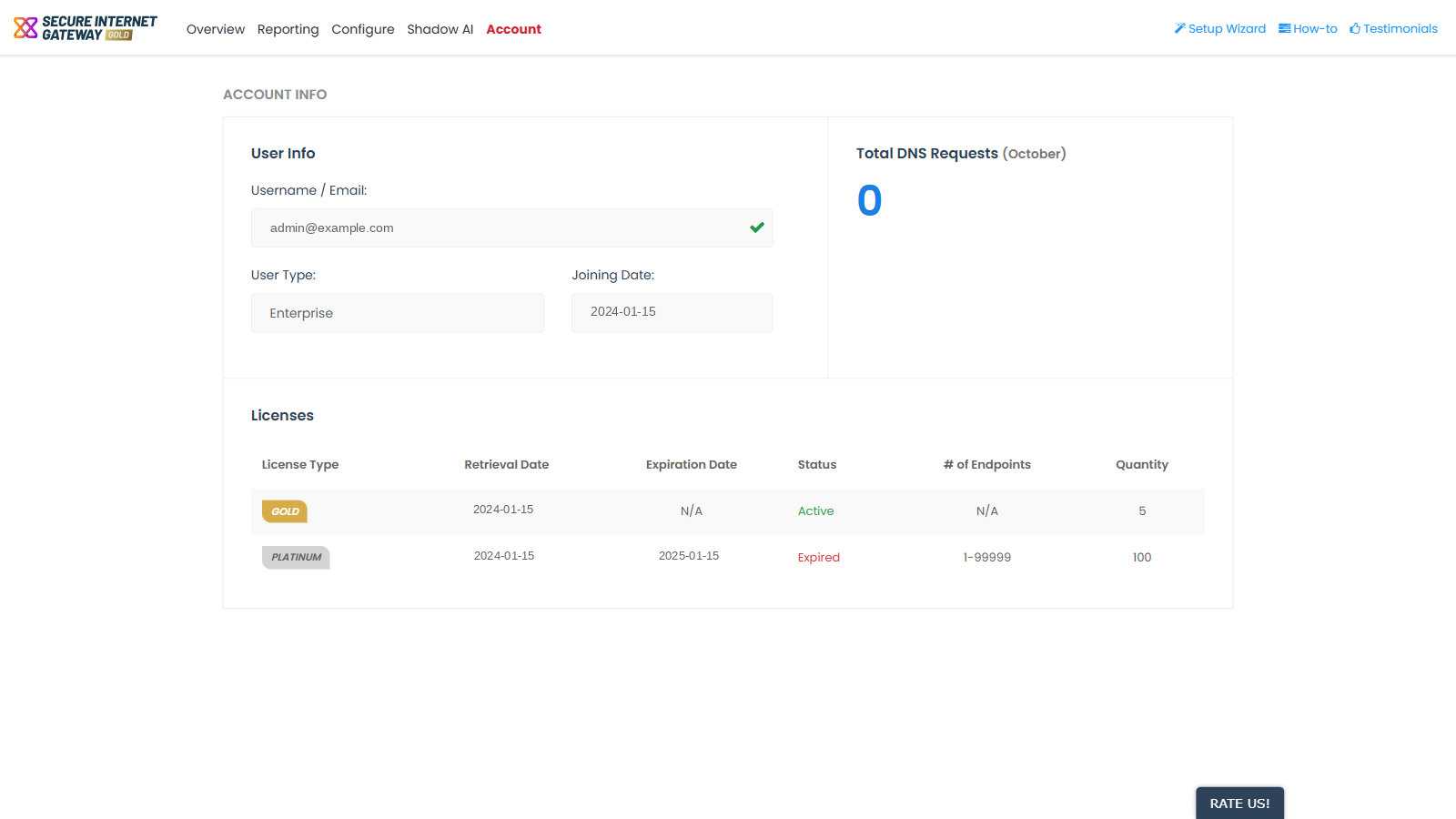
Note: this page is read-only. Nothing on it can be edited from here.
User Info
| Field | Description |
| Username / Email: | The login address of the account. |
| User Type: | The account tier. |
| Joining Date: | The date the account was created, shown as YYYY-MM-DD. |
Total DNS Requests
A single running count of the DNS requests made by the account in the current calendar month. The block title substitutes the current month name, so it changes from month to month.
Licences
| Column | Description |
| License Type | The licence tier. |
| Retrieval Date | The date the licence was acquired. |
| Expiration Date | The date the licence expires. This shows 'N/A' for a licence that does not expire. |
| Status | Either 'Active' or 'Expired'. |
| # of Endpoints | The endpoint band the licence covers. This shows 'N/A' when the licence is not banded. |
| Quantity | The number of seats the licence provides. |
Check your account and licences
- Click 'Account' on the top navigation bar.
- Read 'User Info' for the account's login address, tier and creation date.
- Read the DNS requests block for this month's request count.
- Read the 'Licenses' table and check the 'Status' and 'Expiration Date' of each licence.
Note: the licence tier is also shown as a badge beside the 'SECURE INTERNET GATEWAY' wordmark at the top-left of every console screen.