


Device Queries
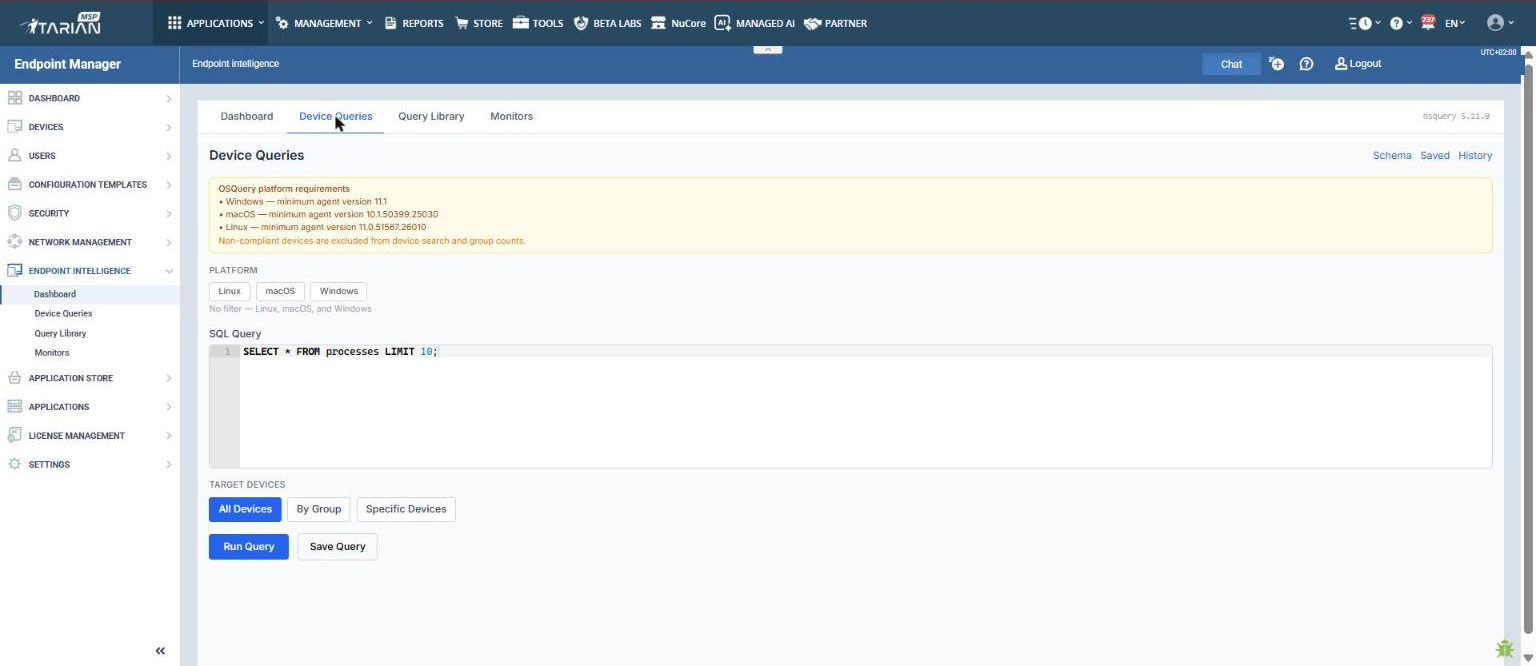
The Device Queries page allows administrators to write and run ad-hoc SQL queries against managed endpoints. Query results are returned from targeted devices in real time.
Platform Filter
Use the 'Platform' toggle buttons to filter which operating systems the query will run against:
- Linux
- macOS
- Windows
If no platform is selected, the query runs across all three platforms.
SQL Query Editor
Enter a valid SQL query in the 'SQL Query' field. Queries follow standard SQL syntax and reference OSQuery table schemas. A default query is pre-populated as an example:
SELECT * FROM processes LIMIT 10;
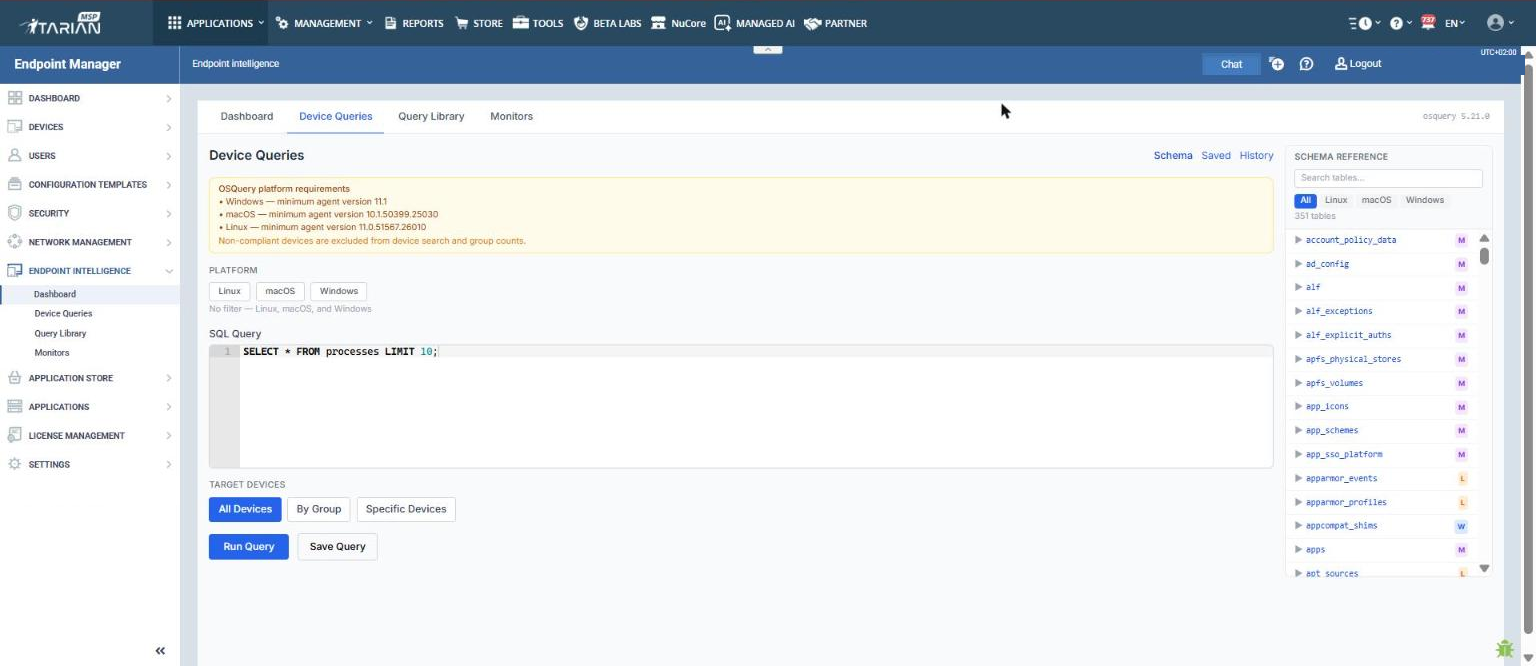
Click 'Schema' (top right of the page) to open the 'Schema Reference' panel, which lists all available OSQuery tables and their fields.
Schema Reference
The 'Schema Reference' panel slides open on the right side of the 'Device Queries' page. It lists all 351 available tables, filterable by platform ('All', 'Linux', 'macOS', 'Windows'). Use the 'Search tables' field to find a table by name or description.
Note: The schema search currently matches against table name and table description. Field-level search (for example, searching for a field name such as sha256) is not yet supported.
Target Devices
Select which devices the query will run against:
- 'All Devices' - runs the query across all enrolled and compliant endpoints.
- 'By Group' - runs the query against one or more device groups.
- 'Specific Devices' - runs the query against individually selected devices.
Running and Saving Queries
Click 'Run Query' to execute the query against the selected target devices. Results are returned per device.
Click 'Save Query' to store the query to the Query Library for future use.